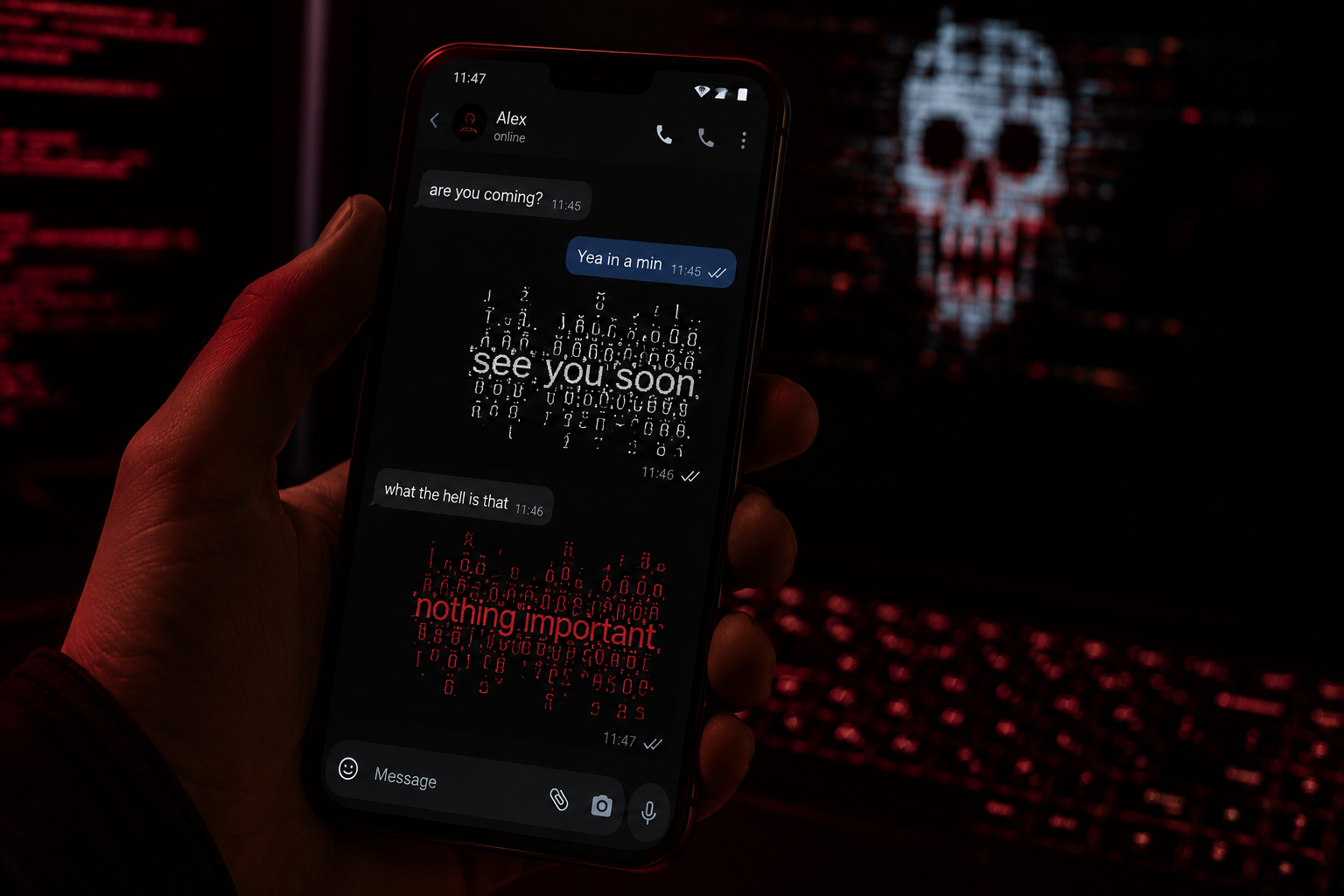
Sending glitched text in a chat app is the easy part. Generate it, copy it, paste it into the message box, send. There is no keyboard to install and no setting to turn on, because these are ordinary Unicode characters and every chat app on your phone already handles them.
What differs between apps is what happens after you hit send. Some render stacked marks exactly as you typed them. Some clip anything that overflows the line height. A couple strip parts of it entirely. This page is a record of which does what.
How the main apps handle it
| App | Messages | Name or profile | Notes |
|---|---|---|---|
| Discord | Excellent | Display name, nickname, About Me | The most reliable of the lot. Renders tall stacks without clipping |
| Good | Name, about, group names | Very tall stacks get clipped at the top of the bubble | |
| Telegram | Good | Name, bio, channel titles | Similar to WhatsApp, slightly more forgiving on height |
| iMessage | Good | Contact name is local to you | Renders cleanly, but bubble height does not grow to fit |
| Instagram DM | Fair | Bio and name | Heavier styles get trimmed in the thread view |
| Slack | Fair | Display name | Fine in messages, tight in the sidebar |
| Roblox chat | Poor | Display name only | The filter usually replaces the message with hashes |
Discord is the outlier and it is worth knowing why. Most apps set a fixed line height and let anything above it get cut. Discord lets the row grow, which is the whole reason heavy zalgo became a Discord thing rather than a WhatsApp thing.
The three-step version
- Type your message into the generator and pick a style.
- Tap the copy button next to the result rather than highlighting it by hand.
- Paste into the chat box and send.
Step two matters more than it sounds. Selecting text by dragging on a phone regularly misses the combining marks attached to the final character, which is why a pasted message sometimes has one clean letter at the end. A copy button takes the whole string.
Picking an intensity that survives
Intensity is the only setting that really changes your outcome, and the right level depends on where the text lands.
- Light works everywhere, including Roblox profiles and older Android phones. Reads as deliberate rather than broken.
- Medium is the sweet spot for Discord, WhatsApp and Telegram messages. Clearly distorted, still legible.
- Heavy belongs in Discord messages and almost nowhere else. Other apps clip it, and it becomes unreadable on small screens.
If you are unsure, send it to yourself first. Every app on this list lets you message your own number or a saved-messages thread, and seeing it inside a real bubble tells you more than the preview does.
Group chats and etiquette
A single glitched line lands. Five in a row gets you muted, and in a busy group it genuinely makes the thread hard to read for everyone scrolling past.
Group names are a better target than group messages. The name sits at the top of the thread, everyone sees it, and it does not push anyone else’s messages around. Keep it short, since most apps truncate group names in the chat list.
Worth remembering that anyone in the group might be reading with a screen reader, which announces each combining mark separately. A distorted paragraph becomes a minute of nonsense for them.
When something goes wrong
- Empty boxes instead of letters. The recipient’s device lacks a font for that character. Older Android builds do this most. Switch to a lighter style.
- The top of the text is cut off. The app uses a fixed line height. Reduce intensity rather than changing app.
- The message sent as plain text. The marks were lost during copying. Use the copy button instead of manual selection.
- Nothing sent at all. You hit a character limit. Marks count individually, so a short-looking message can be twice the length the app thinks is reasonable.
- The message came out as hashes. A content filter caught it. This is Roblox, mostly.
Where to go next
If you mainly care about one platform, we have deeper guides for Discord, Instagram, X and Roblox. For ready-made lines rather than your own text, the copy and paste collection has a few hundred sorted by use.
Frequently asked questions
Do I need to install a keyboard or an app?
No. Glitched text is standard Unicode, the same category of character as emoji. Copy and paste works on any phone or computer without installing anything.
Which chat app handles it best?
Discord, comfortably. It lets message rows grow to fit tall stacks, where most apps clip anything above a fixed line height.
Can I send it on WhatsApp?
Yes, in messages, your name, your about text and group names. Very heavy styles get clipped at the top of the bubble, so keep it medium or lighter.
Why did my friend see boxes?
Their device is missing a font covering those characters and substituted a box. It is a device issue on their end, not a problem with what you sent. A lighter style usually fixes it.
Does this work in iMessage?
Yes. Bear in mind that a contact name you change is only visible to you, since it lives in your own address book rather than on their profile.
Can I get banned for sending glitched text?
Not for the characters. They are permitted everywhere we have tested. Flooding a chat with unreadable messages can still get you moderated under normal spam rules.
Pingback: Ist Cursed Text sicher & seriös? Sicherheitscheck 2026
Pingback: Cursed Text è sicuro e affidabile? Guida alla sicurezza