You don’t always want a generator. Sometimes you just need one specific character, a single dark glyph to drop into a Discord bio, a TikTok name, or a Roblox username, and you need it right now, already finished, ready to tap and paste.
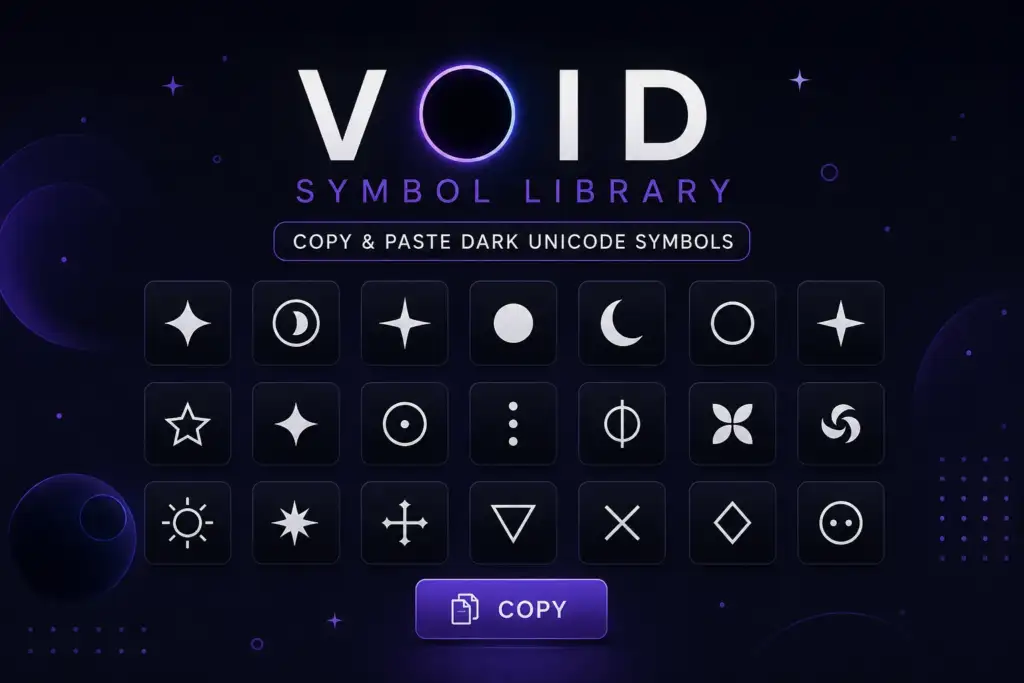
That’s what this page is. Not a tool that distorts your name into stacked combining marks, and not a list of pre-made cursed phrases. This is a symbol library, a categorized collection of standalone dark Unicode characters: block shades, occult glyphs, star fields, geometric voids, and dividers, each one a single copyable character with its Unicode name attached.
If you actually want your name or username turned into distorted void-style text, our void text generator does that in real time. If you want ready-made corrupted phrases and bio lines, the cursed text copy paste library covers that. This page fills the gap between the two: individual symbols, organized so you can actually find the one you want.
What Are Void Symbols?
Void symbols are individual Unicode characters, not fonts, not images, not custom emoji, that carry a dark, empty, or occult visual quality on their own, without needing to be stacked or combined with anything else. A skull and crossbones, a dense block of solid shading, an inverted star, a coffin glyph: each is a single character sitting inside the Unicode standard, the same character-encoding system (built on UTF-8) that every phone, browser, and operating system already reads.
This distinguishes void symbols from void text, which is a technique, layering combining diacritical marks onto ordinary letters until the base word looks like it’s dissolving. Void symbols need no technique at all. They already look dark by design, sitting in Unicode blocks like Miscellaneous Symbols, Block Elements, Geometric Shapes, and Miscellaneous Technical, maintained by the Unicode Consortium since the standard’s creation. Copy one, paste it, done.
Void Symbols vs. Void Text vs. Cursed Text Copy Paste
These three terms get used almost interchangeably across dark-aesthetic communities, but they’re genuinely different tools for different jobs.
| Format | What it actually is | Best for |
| Void symbols (this page) | Single standalone dark Unicode characters | Bio decoration, dividers, accenting a username, art/design work |
| Void text | Your typed letters wrapped in stacked combining marks | A custom name or phrase that looks corrupted/dissolving |
| Cursed text copy paste | Finished pre-distorted phrases and usernames | Grabbing a ready-made creepy line with zero typing |
If you’re staring at a bio field wondering what single character would look right next to your name, you’re in the right place. If you want your actual name transformed, use the void text generator instead, and our complete guide to cursed, Zalgo, and glitch text covers the underlying Unicode mechanics of all three in depth.
How to Copy and Paste Void Unicode Symbols
No app, no font download, no special keyboard required, void symbols are plain text.
- Find the symbol in the categories below.
- Select and copy it, on desktop, highlight it and press Ctrl+C (Windows) or Cmd+C (Mac); on mobile, long-press the character until “Copy” appears.
- Paste it anywhere that accepts text: a Discord username, an Instagram bio, a TikTok caption, a Roblox display name, a group chat, a document.
- Combine symbols to build your own divider or bio line, most of these characters look best stacked with spacing, not crammed together.
Because these are standard Unicode code points rather than platform-specific emoji, they render identically whether you copied them from a browser on Windows or a phone running iOS or Android, the underlying UTF-8 byte sequence never changes, only the font rendering it slightly.
Categories of Void Symbols
Each table below groups symbols by visual family so you can scan for the aesthetic you actually want instead of scrolling through an undifferentiated wall of characters.
Occult, Death & Ritual Symbols
The core of most “dark aesthetic” bios and horror-adjacent usernames, crosses, skulls, and ritual glyphs pulled from Unicode’s Miscellaneous Symbols block.
| Symbol | Name | Common Use |
| ☠ | Skull and Crossbones | Warnings, horror usernames, danger branding |
| ⚰ | Coffin | Death aesthetic, gothic bios |
| ⚱ | Funeral Urn | Memento mori themes, mourning aesthetics |
| ⛧ | Inverted Pentagram | Occult, ritual, horror content |
| ✝ | Latin Cross | Gothic religious imagery |
| ☦ | Orthodox Cross | Dark academia and gothic branding |
| ☓ | Saltire | Marking, crossing-out, warning glyphs |
| ☾ ☽ | Crescent Moons | Witchcore, night aesthetic, lunar theming |
Block, Shade & Geometric Void Symbols
These come from the Block Elements and Geometric Shapes ranges, the characters that actually create the “void” look of solid darkness swallowing space.
| Symbol | Name | Common Use |
| █ | Full Block | Solid dark dividers, censoring effects |
| ▓ | Dark Shade | Layered depth in text art |
| ▒ | Medium Shade | Mid-tone texture in ASCII/text art |
| ░ | Light Shade | Faded background texture |
| ▄ ▀ | Half Blocks | Bar graphics, retro terminal aesthetic |
| ■ □ | Black/White Square | Bullet points, structured dividers |
| ▲ △ ▼ | Triangles | Directional accents, minimalist bios |
| ● ○ | Circles | Bullet dividers, clean spacing |
| ◆ ◇ | Diamonds | Bio accents, decorative separators |
| ⬛ ⬜ | Large Squares | Bold blockquote-style dividers |
Star, Space & Void-Field Symbols
Softer than the block characters, these evoke emptiness and distance, scattered light against dark space rather than solid darkness.
| Symbol | Name | Common Use |
| ★ ☆ | Black/White Star | Rating-style accents, aesthetic bios |
| ✦ ✧ | Four-Pointed Stars | Sparkle-style bio decoration |
| ⋆ | Star Operator | Minimalist spacing between words |
| ⁂ | Asterism | Section breaks, quiet emphasis |
| ↯ | Downwards Zigzag Arrow | “Glitch” or lightning-strike accents |
Technical & Alchemical Void Glyphs
Cold, mechanical characters from the Miscellaneous Technical block, the same family the void text generator draws on to give distorted words their inorganic edge.
| Symbol | Name | Common Use |
| ⌬ | Benzene Ring | Sci-fi/technical branding |
| ⌘ | Place of Interest Sign | Retro-tech aesthetic accents |
| ⏚ | Earth Ground | Circuit/technical themed bios |
| ⌗ | Position Indicator | Coordinate/glitch-style decoration |
Dividers & Bio-Line Builders
Not single symbols but simple repeated-character lines built from the void symbols above, useful for separating sections of a Discord or Instagram bio.
- ▬▬▬▬▬▬▬▬▬▬
- ═══════════
- ┈┈┈┈┈┈┈┈┈┈
- ▔▔▔▔▔▔▔▔▔▔
- ░▒▓█▓▒░
Quick-Copy Void Symbol Set
For fast access without hunting through the tables, here’s a condensed set covering every category above:
☠ ⚰ ⚱ ⛧ ✝ ☦ ☓ ☾ ☽ █ ▓ ▒ ░ ▄ ▀ ■ □ ▲ △ ▼ ● ○ ◆ ◇ ⬛ ⬜ ★ ☆ ✦ ✧ ⋆ ⁂ ↯ ⌬ ⌘ ⏚ ⌗
Best Uses for Void Symbols
Discord display names, server names, and bios accept the full range of these characters in every field, making Discord the single most active platform for void symbol use, pairing well with the naming approaches covered in our cursed text for Discord guide.
TikTok and Instagram bios benefit from one or two symbols used sparingly as accents around a name or between bio lines, rather than crowding every line with glyphs.
Roblox usernames and bios support most of these symbols, though Roblox’s character filter is stricter during account creation than in bio text, test lightly stylized symbols first, similar to the filtering behavior described in our Roblox cursed text guide.
Gaming usernames across Steam, mobile games, and PC titles use void symbols to signal a dark or minimalist identity instantly, without needing an entire distorted name.
Text art and ASCII-style design relies heavily on the block and shade characters (█ ▓ ▒ ░) to build shading and depth entirely out of text.
Gothic and horror content creation, captions, video overlays, creepypasta formatting, often pairs these standalone symbols with heavier techniques from our gothic text generator and scary text generator guides for a fuller dark-aesthetic package.
Compatibility Across Platforms
| Platform | Support Level | Notes |
| Discord | Full | Works in usernames, bios, server names, messages |
| Full | Works in bio, captions, comments, display name | |
| TikTok | Full | Works in bio, display name, captions |
| Roblox | Partial | Bios fully support it; usernames face stricter filtering |
| X (Twitter) | Full | Works in display name, bio, posts |
| WhatsApp / iMessage | Full | Works in messages, group names, status |
| Steam | Full | Works in display name and profile info |
| Full | Works in post titles, flair, comments |
Rendering can still vary slightly by device font, the underlying character never changes, but how thick or dark a shade block appears depends on the system font rendering it.
Tips for Using Void Symbols Effectively
Use restraint. A single well-placed skull or block character reads as intentional; five different symbols crammed into one line reads as noise. Match the symbol family to the mood, occult glyphs for horror or ritual themes, block/shade characters for a minimalist “void” look, star symbols for something quieter and more atmospheric. Always preview on your actual target platform before finalizing a username, since Roblox and a few gaming platforms filter more aggressively than social bios do.
Common Mistakes to Avoid
Don’t assume every symbol works everywhere, Roblox’s username filter in particular rejects some occult and technical glyphs that display fine in a bio field. Don’t overload a single line with symbols from three different categories; it usually looks cluttered rather than deliberate. Don’t confuse this library with a generator, these are fixed, standalone characters, not something you can “adjust the intensity” of the way you can with void text. And don’t rely on memory for rare glyphs like ⌬ or ⏚, bookmark this page or the specific table you need, since they’re easy to lose track of once you close the tab.
Conclusion
A void symbol library isn’t a replacement for a generator, it’s the faster path when you already know exactly what single character you want. Whether that’s a skull for a horror username, a block of solid shading for text art, or a quiet crescent moon for a witchcore bio, every symbol above is standard Unicode, works across virtually every platform, and needs nothing more than a copy and a paste.
For a fully custom distorted name instead of a single accent, the void text generator handles that in real time, and the cursed text copy paste library has finished phrases ready to grab if you’d rather not type anything at all.
Frequently Asked Questions
What is a void symbol?
A void symbol is a single standalone Unicode character with a dark, empty, or occult visual quality, like a skull, a solid block shade, or an inverted star, used as-is without any distortion technique applied.
How is a void symbol different from void text?
A void symbol is one fixed character you copy and paste directly. Void text is a technique that stacks combining marks onto your own typed letters to make a custom word or name look corrupted. The void text generator produces the latter; this page’s library is the former.
Are void symbols safe to copy and paste?
Yes. Every character here is standard Unicode text with no embedded code, script, or executable content. Copying and pasting them cannot harm your device or violate a platform’s terms of service.
Do void symbols work on mobile devices?
Yes. Both iOS and Android render standard Unicode characters natively. Long-press any symbol to copy it, then paste it into any app’s text field exactly as you would on a desktop.
Why does a symbol look slightly different on different apps?
The Unicode character itself never changes, but the font each platform uses to render it can vary slightly in weight, size, or spacing, the same reason a letter can look a little different in two different fonts.
Can I combine void symbols with void text or cursed phrases?
Yes. Many users pair a single void symbol as a bookend around a distorted name or a pre-made cursed phrase, for example, using ⛧ or ☠ at either end of a pre-made cursed bio line for extra emphasis.
Which void symbols work best for Roblox usernames specifically?
Simpler geometric symbols (●, ▲, ■) and single occult glyphs tend to pass Roblox’s username filter more reliably than dense block characters. Test in the username field before finalizing, since filtering rules can change.
Pingback: Fortnite glitch naam generator: 150 originele ideeën