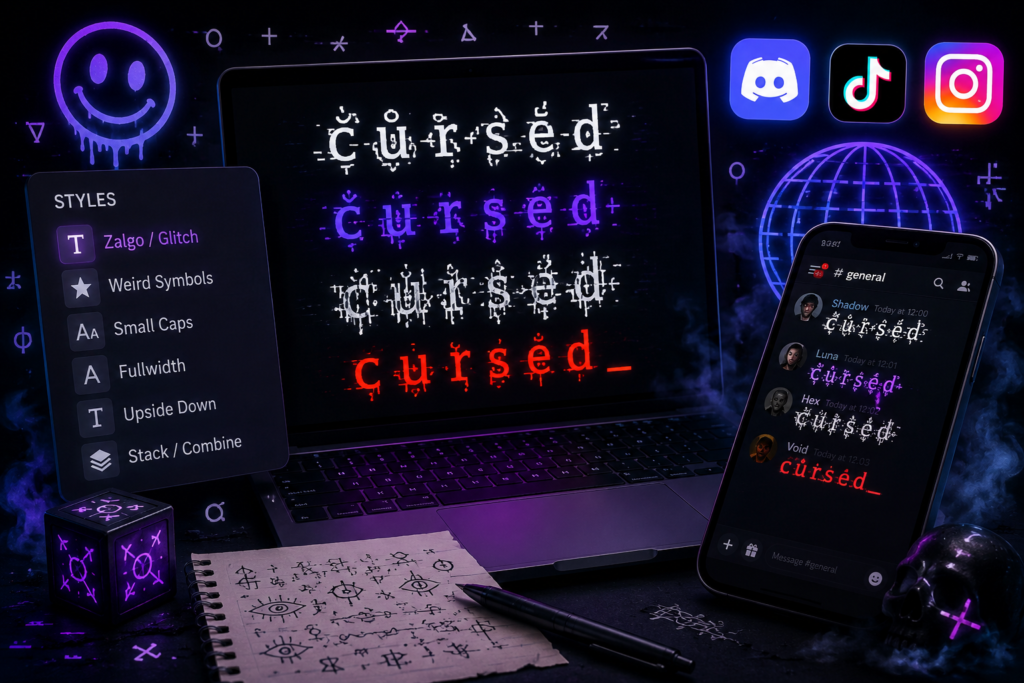
If you want to actually put cursed text to use on Discord, TikTok, or Instagram rather than just read about what it is, this is the practical version: where to paste it, which fields support it, and what to watch out for on each platform. For the background on how the effect works and the difference between glitch, Zalgo, and weird Unicode text, see our full explainer on what cursed text is.
Generating It Takes About Three Seconds
Open cursed text creater, type your text into the input box, and all three styles update live as you type. Drag the intensity slider to control how distorted the output gets, then hit copy on whichever version you want. No account, no download, works the same on phone or desktop.
Using Cursed Text on Discord
Discord supports Unicode across every text field, so cursed text displays exactly as generated.
Server and channel names, a glitched server name signals the tone of the server before anyone reads a single message. Common in horror and gaming communities.
Username and display name, go to User Settings → Edit Profile → Display Name and paste your cursed text version.
About Me / bio, pair a short glitch text opener with normal bio text underneath for a hybrid look.
Messages, full Zalgo in a channel message is attention-grabbing but can be genuinely disruptive if overused. Save heavy intensity for dramatic moments rather than routine chat.
For Discord specifically, our dedicated Discord guide covers character limits and field-by-field detail.
Using Cursed Text on TikTok
Display name, Profile → Edit Profile → Name. A distorted display name is easier to remember than a plain one.
Bio, keep it on the lighter end. Weird Unicode or mild glitch text reads as a deliberate aesthetic choice; heavy Zalgo in a bio mostly just becomes unreadable.
Captions and comments, cursed text works well for a single emphasized word or short phrase rather than an entire caption. TikTok’s caption font can shift how combining marks sit slightly, so a quick preview before posting is worth the ten seconds.
More detail on why this specifically helps with TikTok visibility is in our TikTok captions guide.
Using Cursed Text on Instagram
Bio, prime real estate. Weird Unicode text here reads as a deliberate identity choice rather than noise, and it won’t interfere with your name still being searchable if you keep the actual keywords in plain text somewhere in the bio.
Captions, glitch text works to highlight a phrase within an otherwise normal caption. Full Zalgo captions tend to get shared more in horror or meme-focused accounts specifically.
Comments, a cursed text comment on a popular post in your niche stands out in a way a normal comment doesn’t, though this only works if your own profile follows through on the aesthetic.
Stories, Instagram’s story text tool renders pasted cursed text using its own font, so results vary a bit more here than in bios or captions. Weird Unicode and mild glitch tend to hold up best.
Gaming Usernames: Roblox, Fortnite, Minecraft, Steam
Most gaming platforms accept Unicode in usernames and display names, though filtering varies by platform and can change without notice. Glitch text at medium intensity tends to be the safest choice for usernames specifically, readable enough that teammates can still call it out, distinct enough to stand out in a lobby. Our Roblox-specific guide and Minecraft username guide go deeper on those platforms individually.
A Couple of Things Worth Knowing Before You Post
Very heavy Zalgo can display differently across app versions and devices, occasionally a platform trims the number of combining marks it renders. If you are posting something you want to look exactly right, preview it on your actual device first rather than assuming the generator preview will match one-to-one everywhere.
Screen readers cannot interpret combining marks meaningfully, so heavy cursed text is inaccessible to anyone using text-to-speech. Keep your actual name, bio keywords, and any information that needs to be understood in plain text, and use cursed text as an accent rather than the whole message.
Frequently Asked Questions
Do I need an account to generate cursed text?
No. Cursed Text Creater works with no sign-up, no email, and no download required.
Which platform handles cursed text best?
Discord and Twitter/X tend to render even heavy Zalgo text with the fewest issues. TikTok, Instagram, and gaming platforms generally handle it fine too, but may cap or slightly reposition very dense combining marks.
Can platforms detect or ban cursed text usage?
Cursed text is standard Unicode, not a hack or exploit, so using it doesn’t violate platform rules on its own. Some platforms may filter or reject certain usernames on a case-by-case basis, same as they would for any unusual username.