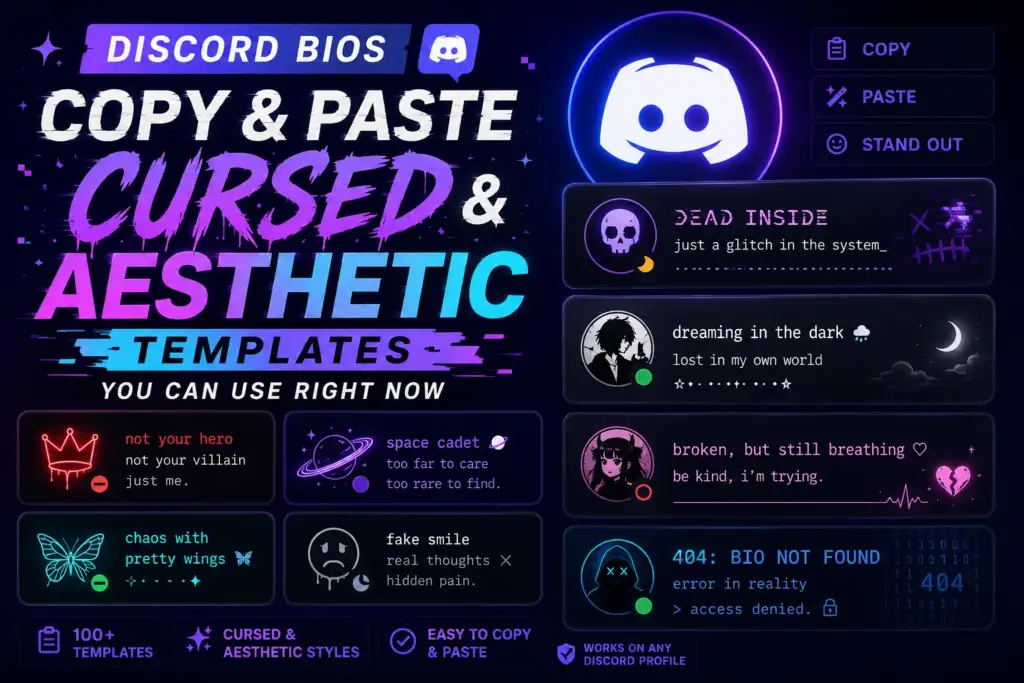
Writing a Discord bio from scratch is harder than it sounds. You stare at the About Me box, type a few words, delete them, and end up with nothing. This article skips that struggle. Below you’ll find finished discord bios copy and paste templates in cursed, aesthetic, dark, cute, funny, and minimal styles. Just pick one, swap in your own words, symbols, or emojis, and paste it straight into your profile.
Best Discord Bios to Copy and Paste
Here are ten quick picks that cover a bit of everything. Grab one, tweak it, and it’s ready.
✧ {name} ✧ | probably online at 3am | chaotic but harmless
∆ signal lost ∆
reconnecting to reality…
soft skies, quiet mind, loud playlist 🌙
main character energy, side character sleep schedule
404: personality not found (still loading)
{main game} enjoyer • occasional overthinker • DMs {DMs open}
🌑 wandering between servers, never quite home
sarcasm loading… 87% complete
just a small ghost haunting your server
static hum • flickering light • still here
Cursed Discord Bios Copy and Paste
A cursed bio leans on light distortion, odd symbols, and a broken-system tone. Think static, glitch effects, and strange warnings rather than anything graphic. The trick is keeping the core words readable while the vibe stays unsettling.
ERR0R: user.exe has stopped responding
d̷o̷ n̷o̷t̷ ̷l̷o̷o̷k̷ ̷b̷e̷h̷i̷n̷d̷ ̷y̷o̷u̷
this profile was found, not made
static whispers something you can’t quite hear
transmission incomplete. try again later.
I live between the lag spikes
warning: file corrupted, personality unknown
the void replied. it just said “hi”
glitch in the feed, nothing to see here
system: memory almost full of nonsense
you weren’t supposed to read this bio
still buffering since last Tuesday
If you want a stronger corrupted-text effect on just your name or one line, the Zalgo Text for Discord page shows how to build heavier distortion without breaking the whole bio.
Aesthetic Discord Bio Templates
Aesthetic bios rely on spacing, a few well-placed symbols, and wording that stays consistent in mood. Each template below leans into one clear feeling instead of mixing several at once.
˚ ༘ ⋆。˚ soft clouds, softer heart
∘˚˳° moonlit thoughts, quiet nights °˳˚∘
✿ dreaming in pastel, living in chaos ✿
🍃 rooted in nature, drifting like wind
tea, blankets, and unread messages 🍵
lo-fi heart in a hi-fi world 🎧
monochrome mood, colorful thoughts
vintage soul, modern playlist 📻
less is more • {name} • always online
☁ floating between clouds and code
🌙 moon-touched, star-guided, still learning
brushstrokes and half-finished ideas 🎨
Dark and Gothic Discord Bios
These bios stick to safe, moody imagery like shadows, black roses, and old libraries. Nothing graphic, just atmosphere.
black roses bloom where sunlight forgets
midnight is my favorite hour
a quiet castle with too many locked doors
pages of an old book no one finishes
shadows keep better secrets than people do
rain against the window, silence in the room
an abandoned signal, still faintly transmitting
dark poetry, darker coffee
forgotten rooms remember more than you think
moonlight and unanswered questions
Cute and Soft Discord Bios
Soft bios work well for almost anyone who wants something warm without sounding childish.
cat person, coffee person, small joys person ☕
plants on my desk, stars in my head 🌱
just here for cozy evenings and good books 📖
soft colors, softer conversations
music, art, and mismatched socks 🎵
here for the games, staying for the friends
tiny joys collector, big dreamer
clouds outside, calm inside ☁
tea in one hand, controller in the other
{name} • friendly • usually smiling
Funny and Chaotic Discord Bios
These lean into everyday, harmless humor that most Discord users can relate to.
50 tabs open, none of them useful
professional snack finisher, amateur adult
still updating this later (I am not)
joined voice chat, said nothing, left quietly
my to-do list has its own to-do list
{main game} carried me, I carried nothing
notifications muted since forever
running on memes and bad wifi
forgot why I opened this app
pretending to be productive since {mood}
Short and Minimal Discord Bios
Sometimes one clean line says more than a paragraph ever could.
calm on the outside, chaos in the tabs
mystery you didn’t ask to solve
{name}, making things nobody asked for
here for the games, not the drama
friendly, quiet, occasionally online
introvert with wifi
music says what I don’t
less words, more mood
Discord Bio Templates With Symbols
Small decorative touches can make a bio feel finished without overwhelming it.
☆彡 {name} 彡☆ | soft chaos only
» quiet mind, loud playlist «
(。•́‿•̀。) just here to vibe
✦ moon child ✦ star chaser ✦
— {mood} —
Decoration should support your message, not bury it. If a symbol makes the text harder to read, it’s doing the opposite of its job.
How to Personalize a Copied Discord Bio
A copied template only feels personal once you adjust a few details. Try swapping in your name, main game, favorite music, general mood, or whether your DMs are open. You don’t need to rewrite everything, just change one or two pieces.
For example, “tea in one hand, controller in the other” could become “coffee in one hand, sketchbook in the other” for someone who draws instead of games. Small swaps like that keep the structure but make the meaning yours. Capitalization, spacing, and preferred symbols are worth adjusting too.
Discord Bio Privacy Tips
A bio can say a lot about your personality without giving away private details. Avoid sharing your full legal name, exact age, school name, home address, phone number, or personal email. Skip precise location details and daily routines too, since that information isn’t needed to sound interesting.
Be cautious about openly inviting messages from strangers, especially if your bio hints that your DMs are open. A little mystery is part of what makes a good profile.
How to Add a Bio on Discord
On desktop or in the browser, go to User Settings → Profiles → About Me, then paste your bio and save.
On mobile, tap your profile or avatar, choose Edit Profile, and look for the About Me field.
Menu wording and placement can shift slightly depending on your current app version, so if a step looks different, the general path should still be close.
Discord Bio, Username, Display Name, and Status
Your Discord username is your permanent account handle, while your display name is the more flexible name others see. Your About Me bio is the longer, descriptive section covered in this article, separate from your short custom status and any per-server nickname or profile you set up. The templates here are written specifically for the About Me field, not for usernames or statuses. If you’re also curious about display names, the Glitched Discord Names page covers that separately.
Why Some Discord Bio Symbols Look Different
Decorative characters are Unicode symbols, not fonts installed on your device. Because of that, the same symbol can look slightly different depending on your operating system, browser, app version, and available system fonts. On some devices, a rare symbol might even show up as an empty box.
Heavy combining characters, the kind used in glitch or Zalgo-style text, can be especially inconsistent across devices. It’s worth previewing your bio on both desktop and mobile if you can, and keeping decoration light enough that it doesn’t eat into your character limit or hurt readability. For a deeper look at how that distortion works, see Zalgo Text for Discord.
Tips for Writing a Better Discord About Me
Keep your main idea visible within the first line or two. Stick to one clear aesthetic instead of mixing several moods at once, and limit decorative symbols so the important words stay easy to read.
Personalize any template you copy, even slightly, and preview it before saving. Leave out sensitive personal details, and don’t feel pressured to fill every available character. A bio that matches your overall profile theme, and gets updated occasionally, tends to feel more genuine than one left untouched for years.
Conclusion
Finding the right discord bios copy and paste template is really just the first step. Pick one that matches your vibe, swap in your own words and symbols, preview how it looks, and paste it into your About Me section. If you want to turn your own sentence into something more cursed or glitchy, the Cursed Text Generator can help you transform it in seconds.
Frequently Asked Questions
What should I put in my Discord bio?
A good bio usually mixes personality, interests, favorite games or music, hobbies, and a bit of humor or mood. You can add a few symbols for style, plus a note about whether you’re open to messages. Keep it short enough to read at a glance.
How long can a Discord bio be?
The About Me field has a limited character count, not a word limit. Since platform limits and menu details can change over time, check the live character counter inside your current Discord app before finalizing your bio.
Can I copy and paste aesthetic symbols into Discord?
Yes, most supported Unicode symbols can be copied and pasted directly into your bio. Just keep in mind that appearance may vary slightly depending on your device, operating system, and the Discord app version you’re using.
Why does my cursed Discord bio look different on mobile?
Differences usually come from device fonts, symbol support, combining marks, screen size, and app version. A symbol that renders perfectly on desktop might look slightly different or smaller on a phone screen.
Can I use Zalgo or glitch text in a Discord bio?
Light or moderate effects can work well and still stay readable. Heavy distortion across an entire bio often reduces readability and displays inconsistently, so it’s usually better to apply the effect to just one word or short phrase.