You searched “cursed keyboard” because you saw something that made you stop scrolling. A Discord username drowning in symbols. A TikTok bio that looked like it was actively glitching. A group chat message that had five people responding at once asking the same thing — how did they type that?
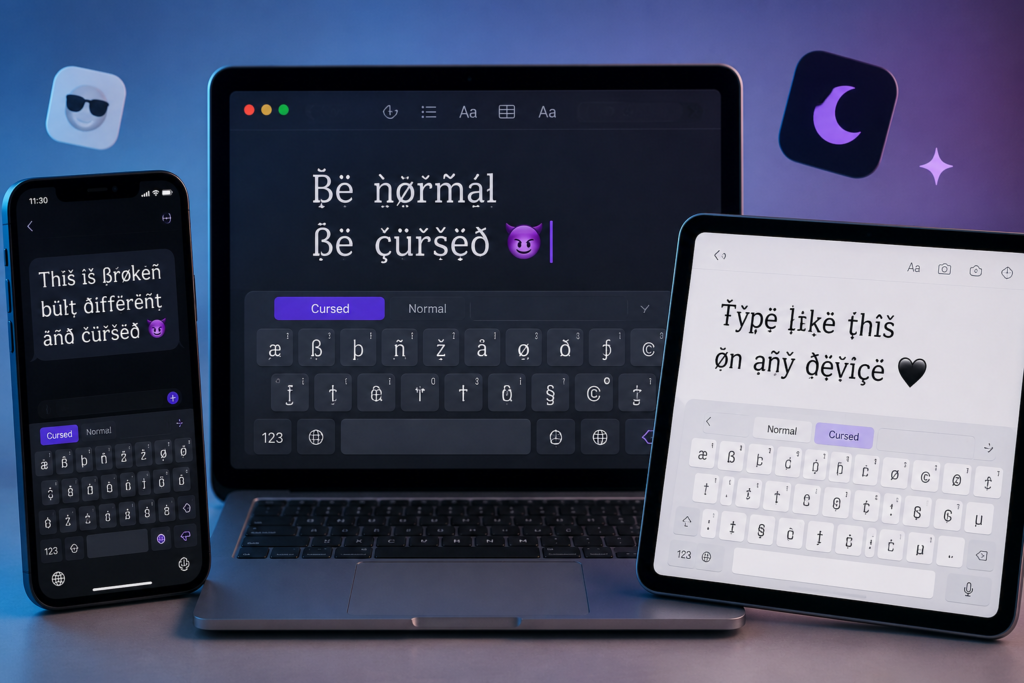
So you went looking for a cursed keyboard. Something to download or install that would let you type that same broken, haunted text on your own phone.
Here is what nobody says upfront: a cursed keyboard does not exist as a real product. No app, no physical keyboard, no hidden iPhone setting, no secret Android feature produces cursed text natively. The people with those usernames and bios are using something that takes ten seconds to access — and your standard phone keyboard is the only keyboard involved in the process.
This guide covers everything. What cursed text actually is, why dedicated cursed keyboard apps are not worth your time, the three styles available, how to generate cursed text on any device right now, and where to use it across every major platform.
What People Actually Mean When They Search “Cursed Keyboard”
Nobody searching “cursed keyboard” wants a physical product. They want to produce cursed text — that distorted, symbol-heavy style that looks like a digital signal breaking apart.
The assumption makes sense. When you see text that is corrupted, your brain files it under “requires special equipment.” A custom font. A developer tool. Something outside normal reach.
That assumption is wrong — and understanding why puts the whole thing in your hands immediately.
Cursed text is created using Unicode combining diacritical marks — invisible characters from the Unicode standard that stack above and below normal letters. The Unicode standard governs every character on every device on earth. Combining marks were originally built for legitimate language purposes — the accent in café, the tilde in mañana, the umlaut in über.
The critical detail: Unicode sets no upper limit on how many combining marks can attach to a single letter. For language use, one or two per letter is standard. Stack twenty or fifty above and below a letter and the character visually overflows its line boundaries. Letters bleed upward. They drip downward. At maximum intensity the word barely looks like text anymore.
Because every character involved is standard Unicode, cursed text copies and pastes correctly on every platform — Discord, iMessage, TikTok, Instagram, WhatsApp, Snapchat, Roblox, Reddit, Twitter. No special fonts. No images. Regular text that looks extraordinary because of combining mark stacking.
A generator automates applying those marks to your text instantly. That is what people are using — not a cursed keyboard. Our complete guide to cursed text, glitch and Zalgo Unicodecovers the full technical breakdown if you want to go deeper.
Why Cursed Keyboard Apps Are Not Worth It
You probably found some apps during your search. Here is what they actually are.
Apps that fail cross-platform — The output looks correct inside the app preview but pastes as plain text or broken characters in Discord, iMessage, or anywhere real. The effect only exists within the app itself.
Apps behind paywalls — The free tier generates weak distortion. Actual glitch, Zalgo, or void text styles require a monthly subscription. You end up paying for something a free browser tool does better.
Apps that collect your data — Third-party keyboard apps installed on your phone have system-level access to everything you type including passwords, personal messages, and banking information. For a text aesthetic, that trade-off is not acceptable.
Cursed Text Creater opens in your existing browser, generates cursed text in real time, copies with one tap, and pastes into every app on your phone. Zero installation. Zero data collection. Zero cost.
Three Cursed Text Styles — Which One Do You Want
Glitch Text is the lightest style. Letters look digitally corrupted — broken enough to stand out, readable enough to function as a username or bio. This is what most US users choose for gaming names, Discord display names, and social media bios where the aesthetic matters but people still need to read your name. If you have seen someone in a Roblox lobby or Discord server with a username that looks slightly off but you can still make out — that was glitch text.
Zalgo Text is the extreme version. Named after a 2004 internet creepypasta, Zalgo stacks combining marks so densely that letters get buried under layers of symbols. At maximum intensity it barely reads as text at all. Built for horror content, SCP roleplay servers, creepypasta communities, analog horror projects, and Halloween posts where maximum visual chaos is the goal. Zalgo is also called void text in gaming and dark aesthetic communities — same Unicode technique, different name that emphasizes the haunted empty energy of the style. Our void text guide covers that specific style completely.
Weird Unicode Text replaces standard letters with alternate Unicode characters from uncommon script blocks. The result looks foreign and otherworldly but stays readable. Popular for aesthetic TikTok display names, Instagram bios in alt and dark niches, and anywhere you want to look intentionally different without full horror energy.
All three are free. All three work on every platform. Your use case determines which one fits.
How to Type Cursed Text on iPhone — Step by Step
No download needed. Works on every iPhone with iOS 15 or newer.
Step 1 — Open Safari or Chrome on your iPhone. Go to Cursed Text Creater.
Step 2 — Tap the input field. Your standard iPhone keyboard appears. This is the only keyboard you need.
Step 3 — Type what you want to convert. Username, bio, message, caption — anything.
Step 4 — Tap your chosen style — Glitch, Zalgo, or Weird Unicode.
Step 5 — Your cursed text generates live as you type. No loading, no submit button needed.
Step 6 — Tap Copy next to the output.
Step 7 — Open iMessage, Discord, TikTok, Instagram, or any app. Long press the text field and tap Paste.
Done. Ten seconds from opening the generator to having cursed text ready to send.
Pro tip: Open Cursed Text Creater in Safari, tap Share, then Add to Home Screen. It appears like a native app on your home screen — one tap to open, no storage used, no download.
How to Type Cursed Text on Android — Step by Step
Works on every Android phone — Samsung, Pixel, OnePlus, Motorola, any brand on Android 9 or newer.
Step 1 — Open Chrome. Go to Cursed Text Creater.
Step 2 — Tap the input field. Your standard Android keyboard opens. No third-party keyboard required.
Step 3 — Type your text.
Step 4 — Select your style. Output generates instantly.
Step 5 — Tap Copy.
Step 6 — Open your app. Long press the text field. Tap Paste. Send.
Pro tip: In Chrome, tap the three-dot menu and select Add to Home Screen for one-tap access with zero storage cost.
How to Type Cursed Text on a Laptop or Desktop
Step 1 — Open any browser and go to Cursed Text Creater.
Step 2 — Click the input field and type your text.
Step 3 — Choose Glitch, Zalgo, or Weird Unicode.
Step 4 — Click Copy or use Ctrl+C on Windows / Cmd+C on Mac.
Step 5 — Paste anywhere with Ctrl+V or Cmd+V.
Five seconds total on a laptop. Fastest of the three methods.
Every Platform Where Cursed Text Works in 2026
Discord — The most Unicode-friendly platform available. Usernames, display names, bios, server names, channel names, status, and chat messages all support full cursed text at any intensity. Both light glitch and maximum Zalgo render perfectly. Our Zalgo text for Discord guide covers every Discord field in detail.
iMessage — Full Unicode support in individual and group chats. Displays correctly on both iPhone and Android recipients. US group chat reactions to cursed iMessages are instant.
TikTok — Display name and bio support medium to heavy cursed text. Horror creators and dark aesthetic accounts use cursed display names as permanent brand identity.
Instagram — Bio supports medium intensity. DMs support any intensity. The username field works safest at light intensity.
WhatsApp — Individual chats, group chats, group names, and status all fully support cursed Unicode on iOS and Android.
Snapchat — Display name and chat messages at light to medium intensity. Popular with US teen users for the group chat reaction factor.
Twitter / X — Display names, bios, and tweets. Heavy Zalgo in tweets is a staple of surreal meme and dark humor culture.
Reddit — Comments and post titles in horror, creepypasta, SCP, and dark humor communities.
Roblox — Light glitch text in usernames. Heavier distortion works in profile bios. Our Roblox glitch text guidecovers exactly what intensity works in each Roblox field.
Steam and other gaming platforms — Light glitch text in display names. Test at low intensity first since platform filters vary.
Which Style to Use in Which Situation
Gaming username — Glitch Text at light to medium intensity. Readable in a lobby. Clearly different from plain text.
Discord display name — Glitch Text at medium intensity. Renders cleanly in the server sidebar and DM list.
Discord bio or status — Zalgo at medium to heavy. More space lets the dripping effect develop fully.
TikTok or Instagram bio — Weird Unicode or light Glitch. Looks intentional and aesthetic rather than chaotic.
Group chat message — Zalgo at maximum intensity. Mundane content in full chaos Zalgo hits hardest.
Horror content or creepypasta — Maximum Zalgo. This is exactly what the style was designed for.
SCP or ARG roleplay — Heavy to maximum Zalgo. Standard within those communities.
Roblox or Steam username — Light Glitch only. Platform filters block heavier combining marks in username fields.
Skip Generating — Use Ready-Made Cursed Text
If you want to browse finished cursed text strings and copy directly without typing anything into a generator, our cursed text copy paste collection has 200+ ready strings organized by platform — Discord bios, gaming usernames, horror lines, TikTok display names, and group chat messages all included.
To understand which specific Unicode combining characters create each type of cursed effect, our cursed Unicode symbols guide covers every combining mark category in plain English with no technical background required.
Bottom Line
You came looking for a cursed keyboard. What actually exists is better — a free generator that runs in the browser you already have, on the phone you already own, producing higher quality output than any keyboard app available without any installation, subscription, or privacy compromise.
Open Cursed Text Creater. Type your text. Pick your style. Copy. Paste wherever you need it.
Free. Unlimited. No sign-up. Works on iPhone, Android, and every desktop browser. Your first cursed text is ready in thirty seconds.
Frequently Asked Questions
Does a cursed keyboard actually exist?
No dedicated cursed keyboard produces proper Unicode cursed text reliably. Third-party apps either fail across platforms, lock styles behind subscriptions, or collect your typing data. A free browser-based generator like Cursed Text Creater produces better results with no installation and no trade-offs.
Is there a cursed keyboard app for the iPhone worth downloading?
Nothing in the App Store meets the bar for quality, cross-platform compatibility, and privacy simultaneously. Cursed Text Creater in Safari generates, copies, and pastes in ten seconds with no keyboard installation required.
Is there a cursed keyboard for Android?
Same situation. The generator method in Chrome on Android produces full-quality cursed text faster than any third-party keyboard app with zero data collection.
Can I type cursed text without copy pasting?
Not practically. Unicode combining marks are not accessible from standard keyboards. A generator is the only way to apply them automatically. The copy-paste step takes three seconds.
What is the best free cursed keyboard alternative right now?
Cursed Text Creater. Glitch text, Zalgo text, and weird Unicode text in real time on any device. No account, no limits, no cost.
Does cursed text work the same on iPhone and Android?
Yes. Unicode combining characters are fully supported on every iPhone and Android device in active use in the US. Output quality and cross-app compatibility are identical on both platforms.