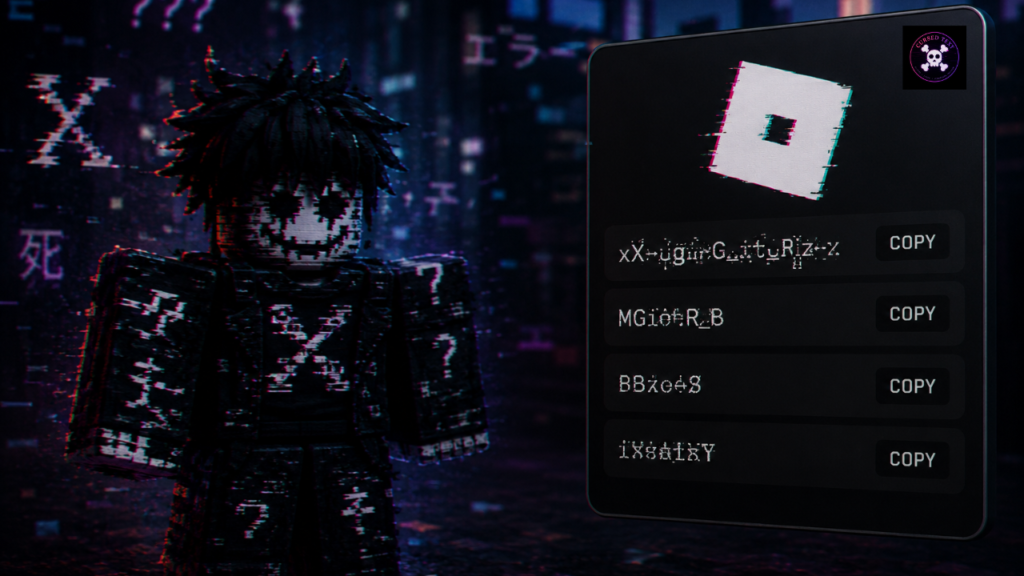
Roblox splits your identity in two, and only one half will take glitched text.
Your username is the one you log in with. Three to twenty characters, letters, numbers and a single underscore, and the underscore cannot sit at either end. No Unicode gets through, so nothing on this page will work there. If you already have an account, that name is also permanent unless you pay to change it.
Your display name is the one everyone actually sees, sitting above your username on your profile and in game. It takes Unicode, it is free to change, and Roblox lets you change it once every seven days. That is the field these names are for.
The 20-character trap
Display names cap at twenty characters, and Roblox counts combining marks as characters in their own right.
That halves your working length. A ten-letter word becomes twenty characters once every letter carries a mark, and you are already at the ceiling. Eleven letters will not save.
So every name below is ten letters or fewer before distortion. This is the single biggest difference between writing a Roblox name and writing a Discord one, where you get thirty-two characters to play with.
Ready-made display names
All light distortion, all inside the limit. Copy one straight into the display name field.
Void and dark
- V̷o̷i̷d̷ (8 characters)
- N̷u̷l̷l̷x̷ (10 characters)
- V̷ø̷i̷d̷l̷i̷n̷g̷ (16 characters)
- H̷o̷l̷l̷o̷w̷ (12 characters)
- A̷s̷h̷e̷n̷ (10 characters)
- D̷u̷s̷k̷ (8 characters)
- C̷r̷y̷p̷t̷ (10 characters)
- U̷m̷b̷r̷a̷ (10 characters)
- N̷i̷g̷h̷t̷l̷y̷ (14 characters)
- A̷b̷y̷s̷s̷a̷l̷ (14 characters)
- V̷o̷i̷d̷K̷i̷d̷ (14 characters)
- D̷a̷r̷k̷H̷z̷ (12 characters)
Glitch and error
- E̷r̷r̷o̷r̷ (10 characters)
- G̷l̷i̷t̷c̷h̷ (12 characters)
- N̷u̷l̷l̷P̷t̷r̷ (14 characters)
- C̷r̷a̷s̷h̷ (10 characters)
- C̷o̷r̷r̷u̷p̷t̷ (14 characters)
- B̷a̷d̷D̷a̷t̷a̷ (14 characters)
- S̷t̷a̷t̷i̷c̷ (12 characters)
- N̷o̷S̷i̷g̷n̷a̷l̷ (16 characters)
- F̷a̷u̷l̷t̷ (10 characters)
- B̷r̷o̷k̷e̷n̷ (12 characters)
- B̷i̷t̷r̷o̷t̷ (12 characters)
- S̷e̷g̷f̷a̷u̷l̷t̷ (16 characters)
Horror flavoured
- W̷r̷a̷i̷t̷h̷ (12 characters)
- H̷e̷x̷e̷d̷ (10 characters)
- R̷o̷t̷t̷e̷n̷ (12 characters)
- G̷r̷i̷m̷ (8 characters)
- C̷u̷r̷s̷e̷d̷ (12 characters)
- P̷h̷a̷n̷t̷o̷m̷ (14 characters)
- S̷h̷a̷d̷e̷ (10 characters)
- R̷e̷v̷e̷n̷a̷n̷t̷ (16 characters)
- G̷r̷a̷v̷e̷ (10 characters)
- H̷a̷u̷n̷t̷ (10 characters)
- S̷p̷e̷c̷t̷r̷e̷ (14 characters)
- D̷r̷e̷a̷d̷ (10 characters)
Softer and aesthetic
- S̷o̷f̷t̷l̷y̷ (12 characters)
- F̷a̷d̷e̷d̷ (10 characters)
- P̷a̷l̷e̷ (8 characters)
- Q̷u̷i̷e̷t̷ (10 characters)
- M̷u̷t̷e̷d̷ (10 characters)
- B̷l̷u̷r̷r̷e̷d̷ (14 characters)
- H̷u̷s̷h̷ (8 characters)
- D̷i̷m̷l̷y̷ (10 characters)
- V̷e̷l̷v̷e̷t̷ (12 characters)
- S̷l̷o̷w̷l̷y̷ (12 characters)
- G̷h̷o̷s̷t̷e̷d̷ (14 characters)
- F̷e̷r̷a̷l̷ (10 characters)
Why Roblox rejects some names and accepts others
Roblox runs every display name through the same content filter it runs on chat. The filter was not built with Unicode decoration in mind, and it behaves inconsistently as a result.
From our testing, three things raise your chances of a name being rejected or silently reverted:
- Heavy stacking. Two or three marks on every letter reads as an attempt to obscure text, which is exactly what the filter looks for.
- Obscure Unicode blocks. Characters outside the common ranges get flagged more often than the standard combining marks.
- A real word underneath. If the base word would fail the filter on its own, distorting it does not help. The filter reads through the marks.
Light distortion on an ordinary word almost always goes through. That is why every name above uses one mark per letter rather than a full zalgo stack.
Where glitched text works across Roblox
| Where | Limit | Glitched text? |
|---|---|---|
| Username | 3–20 characters | No. Letters, numbers and one underscore only |
| Display name | 20 characters | Yes, filtered |
| Profile description | Longer | Yes, filtered, and you have room for a full line |
| In-game chat | Varies | Usually filtered out entirely |
| Group and clan names | Varies | Sometimes, and heavily filtered |
In-game chat is the one people are most often surprised by. Roblox filters chat far more aggressively than profiles, and glitched text usually comes out the other side as hashes. That is not a bug in the text, it is the filter doing its job.
Changing your display name safely
The seven-day cooldown is the part worth planning around. Once you change it, you are stuck with it for a week, so decide before you commit rather than after.
Two things to check first. Open your own profile on mobile, since the display name renders at a smaller size there than on desktop and heavy marks blur together. Then look at how it sits in a leaderboard, which truncates long names and can cut a glitched name in a way that looks broken rather than intentional.
If the name gets rejected outright, Roblox usually says so straight away. If it saves and then reverts a day later, the filter caught it on a second pass. Shorten it and drop a mark or two.
Making one from your own name
A ready-made name is fine, but most people want their own handle distorted rather than someone else’s idea. Type it into the cursed text generator, keep the intensity low, and watch the character count. Ten letters is your ceiling.
If your name runs longer than that, drop a vowel or shorten it before distorting. Our wider Roblox guide goes into which styles survive the filter, and the void symbol library has single glyphs if you would rather bracket a plain name than distort it.
Frequently asked questions
Can I use glitched text in my Roblox username?
No. Usernames accept letters, numbers and one underscore only, three to twenty characters, and the underscore cannot start or end the name. Use your display name instead, which is free to change and takes Unicode.
Why did my display name get rejected?
Roblox filters display names the same way it filters chat. Heavy stacking and unusual Unicode blocks get flagged most often. Try a lighter version with one mark per letter.
How often can I change my display name?
Once every seven days, at no cost. The cooldown starts from your last change, so pick carefully.
Can I get banned for a glitched display name?
Not for the characters themselves. Roblox permits Unicode decoration. You can still be moderated for what the name says, and the filter reads the underlying word through the marks.
Why does my name look fine on PC but blurry on mobile?
Mobile renders display names at a smaller size, so stacked marks overlap into a smudge. Reduce the intensity or shorten the name.
Does glitched text work in Roblox chat?
Rarely. Chat filtering is far stricter than profile filtering and usually replaces the message with hashes. Profiles and display names are the reliable places for it.
Pingback: Ist Cursed Text sicher & seriös? Sicherheitscheck 2026