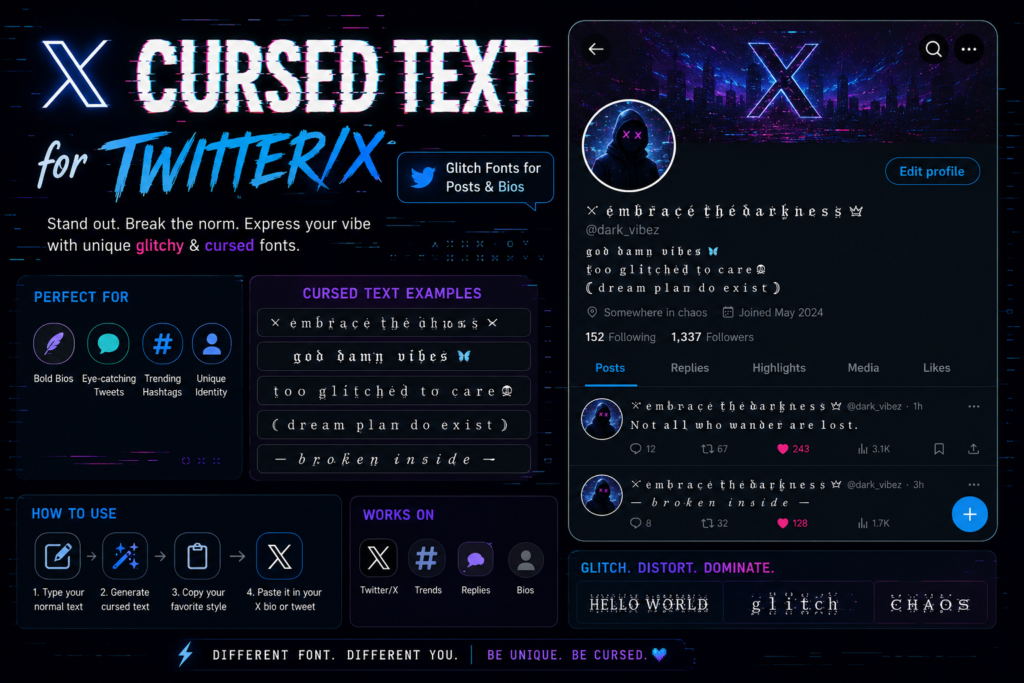
To use cursed text for Twitter/X, generate the Unicode style you want, then paste it into the post box, your bio, your display name, or a reply, X reads it as plain Unicode, not a custom font, so it pastes and displays exactly like an emoji would. The catch isn’t getting it onto the platform. It’s that X counts characters differently than most apps you’ve used cursed text on, and a single heavily-distorted word can quietly burn through a 280-character post before you’ve said anything. This guide covers where that math breaks down, how X’s text fields behave differently, and how to keep glitch text working for your post instead of against it.
Where Cursed Text Actually Lives on X
X has more distinct text surfaces than most platforms, each with its own rules.
Posts (formerly tweets): Free accounts get 280 characters, the number nearly everyone here is working with, and the tightest constraint cursed text runs into on the platform.
Replies: Same 280-character cap. One quirk worth knowing: an @mention at the very start of a reply doesn’t count against your limit, which matters if you’re replying with a distorted line and want to keep every character for the actual message.
Bio: 160 characters, no exceptions for Premium or verified accounts. This is where cursed text math gets genuinely tight.
Display name: 50 characters, separate from your @handle. This is where most people actually put cursed text on X, and for good reason, more on that below.
Direct messages: 10,000 characters, generous enough that distortion intensity almost never becomes a real constraint here.
X Premium long-form posts: Subscribers can publish up to 25,000 characters, but the timeline still truncates the preview at roughly 280 characters with a “Show more” link, so what people actually see first faces the same math either way.
Unicode Compatibility: What Actually Renders on X
X’s apps, iOS, Android, and the web client, render standard Unicode combining marks and symbol substitutions without stripping them out. That’s why cursed text shows up on the platform at all; X isn’t filtering the character set the way some gaming platforms filter usernames. Still, three quirks show up consistently enough to plan around:
- “Show more” truncation changes how distortion reads. A heavily corrupted opening line can leave the timeline showing just a wall of stacked marks with no context yet, the plain-text payoff hidden behind a tap most people won’t make.
- Font rendering differs slightly across devices, since each operating system’s font engine positions stacked diacritics on its own.
- Push notification previews often flatten distortion. A reply or quote-post notification frequently renders in a simplified system font that doesn’t stack marks the way the main timeline does.
None of this means glitch text doesn’t work on X. It works reliably. It means the surface you’re posting to should decide how intense the distortion gets.
The Character-Limit Math Nobody Runs Before Posting
Here’s the number that actually matters: X counts every stacked Unicode combining mark as its own character, exactly the way it counts a letter. A word wrapped in heavy Zalgo-style distortion, three or more marks per letter, can eat 40–50+ characters for a single six-letter word. In a 280-character post, that’s fine. In a 160-character bio, it’s a real constraint.
A few numbers worth knowing before you draft anything:
- URLs always count as 23 characters, regardless of the actual link length, since X shortens everything through its own wrapper, budget that off the top if a post pairs a distorted headline with a link.
- Emojis count as two characters each, so a distorted phrase plus a row of emoji climbs faster than it visually appears to.
- Letter-substitution styles (small caps, bold Unicode, gothic blackletter) don’t inflate character count the way combining marks do, since they swap one character for one instead of stacking marks on a base letter. If space is tight, substitution gets you the look at a fraction of the cost.
A workable split for a 160-character bio: one distorted or gothic word up front to set tone, then plain text for anything you actually need people to read, your role, a link callout, a pinned-post reference. Treating the whole bio as a canvas for heavy distortion is how people run out of room before finishing a sentence.
Readability on a Fast-Scrolling Timeline
X moves faster than almost any other text-based platform. A post competes with an entire timeline for maybe half a second of attention before someone scrolls past, which changes how much distortion it can actually absorb.
- Posts need the readable part up front: Don’t bury a plain-text payoff after a heavily distorted opening line, the 280-character truncation means a slow-building post can get cut off with “Show more” before the reader gets anywhere.
- Replies benefit from restraint: A reply sits inside a conversation someone is actively parsing. Heavy Zalgo reads as noise more than style, since the context is conversational, not decorative.
- Display names can carry more distortion than posts, since a name isn’t read from start to finish, it’s glanced at once alongside your @handle and avatar. This is the one place on X where heavier glitch or gothic styling consistently works without hurting communication.
- Quote-posts add a layer worth remembering: your commentary and the quoted post compete for the same half-second of attention. A heavily distorted quote-comment on top of an already-busy quote usually loses, not wins, that focus.
If you’re unsure whether a line is too heavy, paste it into a note and see if you can read it in about two seconds without already knowing what it says. If you can, it’ll survive the timeline. If you can’t, the distortion is working against you.
Best Practices for Posting Cursed Text on X
- Reserve heavy distortion for display names, not full posts. A display name is seen once per visit; a post is meant to be read.
- Front-load anything important in a post, the joke, the news, the actual point, since truncation cuts off whatever comes after it in the preview.
- Use substitution styles when character count is tight, and save combining marks for situations with room to spend, like a longer reply or Premium long-form post.
- Test your bio with the actual generated text, not a plain-text draft, since stacked marks count individually and can overflow the 160-character field once pasted in.
- Check how your post reads after the “Show more” point, since that’s the version most of your timeline audience will actually see.
- Keep your searchable name in plain text somewhere on your profile, since X’s search index matches character strings, not visual appearance.
Creative Use Cases by Post Type
Personal accounts wanting a distinct presence: A single distorted word in the display name, paired with a plain @handle and a mostly readable bio, gets you noticed without making your profile illegible to anyone scrolling past quickly.
Horror, ARG, and alt-lore accounts: Threads are a strong fit for escalating distortion, the same pacing technique covered in our scary text generator guide, clean text at the start, degrading as the “story” progresses.
Memes and reaction posts: A short, heavily distorted line lands well as a reply or quote-post reaction, precisely because it’s disposable by design, nobody expects it to be searchable the way a bio needs to be.
Aesthetic and niche community accounts: Gothic blackletter or small-caps substitution reads as an intentional design choice in a display name, similar to how it functions in an Instagram bio, though X’s shorter 50-character display-name field makes substitution the more practical pick over heavy stacking.
Common Mistakes People Make With Cursed Text on X
Assuming the character count matches the plain-text draft: The most common mistake, writing in a notes app, then finding the cursed-text version blows past the 160 or 280-character ceiling once every mark counts individually.
Burying the point behind heavy distortion: If the first thing someone reads is a wall of stacked marks, “Show more” truncation can cut the post off before the payoff appears.
Distorting a name you need people to find: X’s search matches character strings, not appearance, so a heavily substituted display name can make you harder to locate even if your @handle stays normal.
Treating replies like posts: A reply lives inside an active conversation, and heavy distortion reads as disruptive rather than stylish there.
Ignoring notification previews: A post that looks perfect in the composer can appear flattened in a push notification.
If you want the mechanics behind how this distortion is built, which combining marks stack where, and how to construct them by hand instead of using a generator slider, that’s covered in our manual Zalgo technique guide. And if you’re trying to figure out what a cursed message someone sent you is signaling, our cursed text meaning breakdown covers how intensity functions as a kind of tone of voice.
Frequently Asked Questions
Does cursed text hurt my reach or get flagged by X’s algorithm?
No evidence suggests X penalizes standard Unicode characters for looking stylized, they’re valid characters, not a policy violation. The real cost is indirect: distorted text isn’t matched by X’s search index the way plain text is, which limits discoverability rather than triggering suppression.
Can I use cursed text in my actual @handle, not just my display name?
Usernames on X are restricted to letters, numbers, and underscores, so cursed styles won’t save in that field. Display names have far more Unicode flexibility and are where nearly all cursed-text styling on X actually happens.
Does Premium’s 25,000-character limit change how much distortion I can use?
It gives a more raw character budget, but the timeline still truncates the preview at roughly 280 characters, so the part of a long-form post most people see first faces the same readability trade-offs as a standard post.
Why did my bio look fine while typing, then get cut off?
X counts every stacked combining mark as its own character, even though it visually sits on a letter. A bio drafted in a separate notes app can overflow the 160-character field the moment the actual cursed-text version is pasted in.
What’s the difference between cursed text on X versus Instagram?
X is a faster, reply-and-quote-driven platform where posts compete for a shorter window of attention, and its character-counting rules are tighter across posts, replies, and bios alike. The trade-offs specific to Instagram’s own fields are covered in our Cursed Text for Instagram guide.
Is a generator good enough for X, or should I build cursed text manually?
A generator is fine and faster for nearly every X use case, posts, bios, and display names are short enough that manual construction offers no real advantage day-to-day. Building manually mainly helps if you want to understand which characters a specific field accepts or filters.